MutfakAI TR Get app

The shared kitchen for your household

What shall we cook tonight?

Mutfak AI shows what’s in your fridge, what’s about to expire and what you can cook together, all in one place. The shopping list updates on everyone’s phone at the same time.

  • Free to start
  • iPhone and Android
  • Everyone at home on their own phone
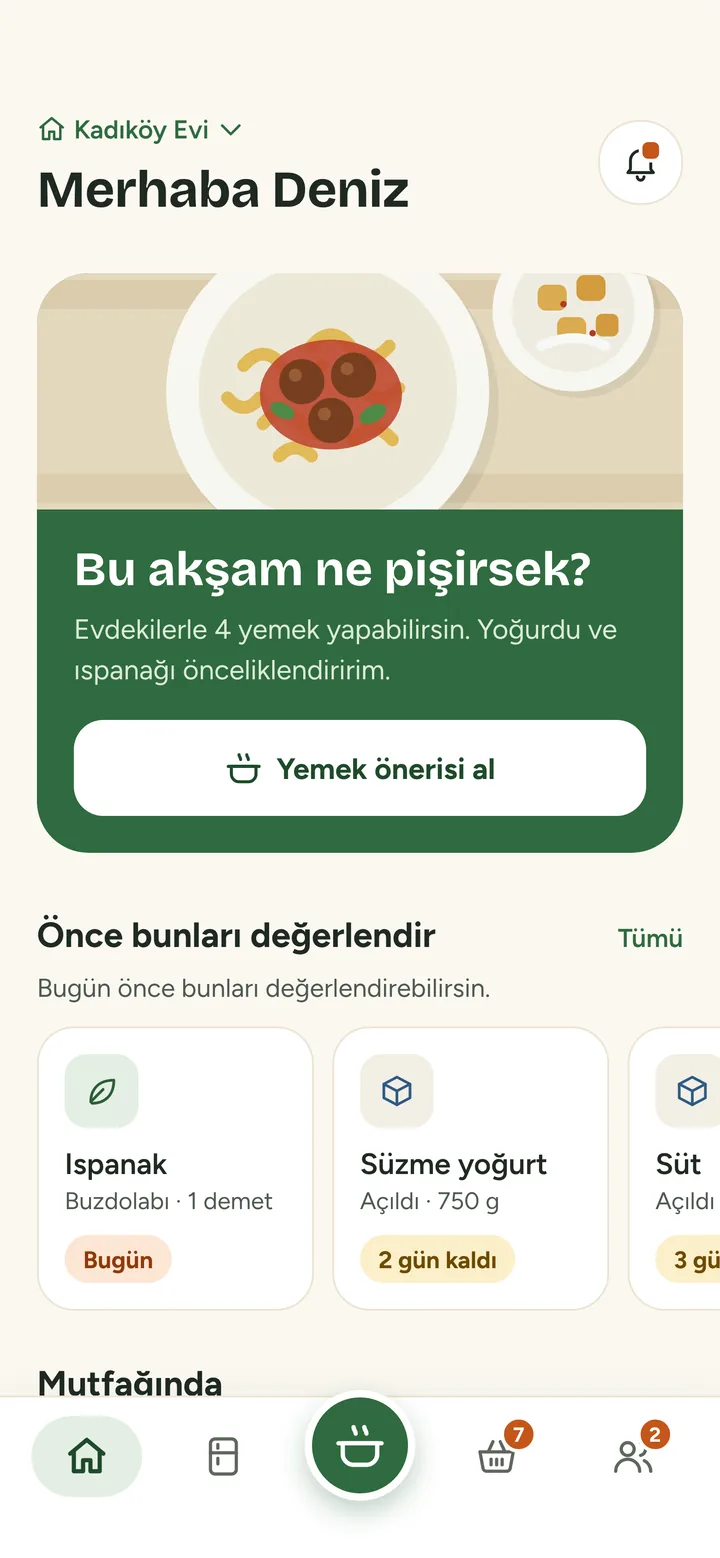
Mutfak AI home screen with tonight’s dinner card and items about to expire

Mert is buying milk

Features

Everything in your kitchen, in everyone’s pocket

Who bought what, what’s run out, what’s for dinner: the questions you ask every day, answered in one app.

Add with a photo

Snap a photo, we’ll sort the items

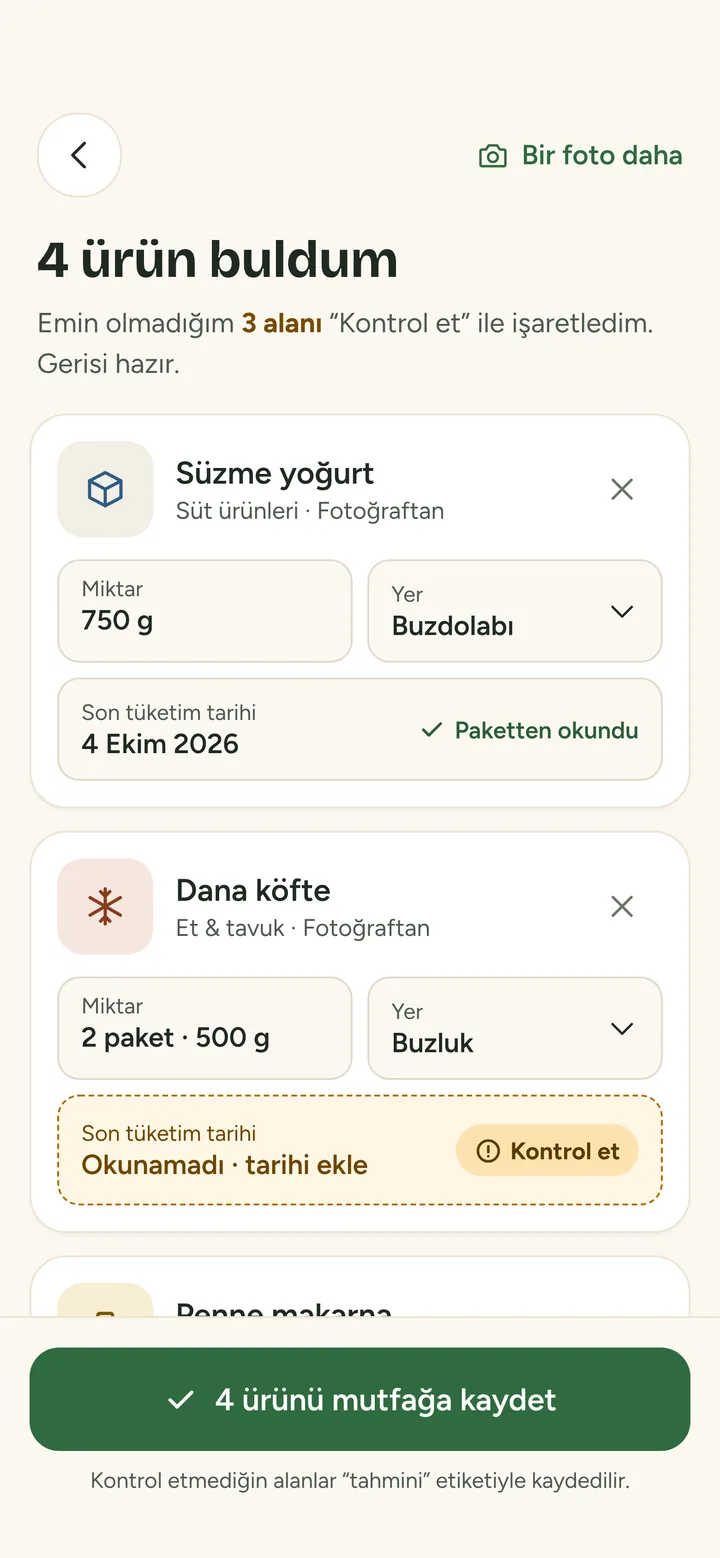
A photo of your fridge or shopping bag is enough. Mutfak AI picks out items, quantities and expiry dates, and asks you about anything it isn’t sure of.

  • Receipt, barcode and voice adding too
  • Uncertain fields are marked “Check”
  • Nothing is added without your approval
AI recognition screen: four items found, one field waiting for a check

Expiry tracking

What needs using first is always on top

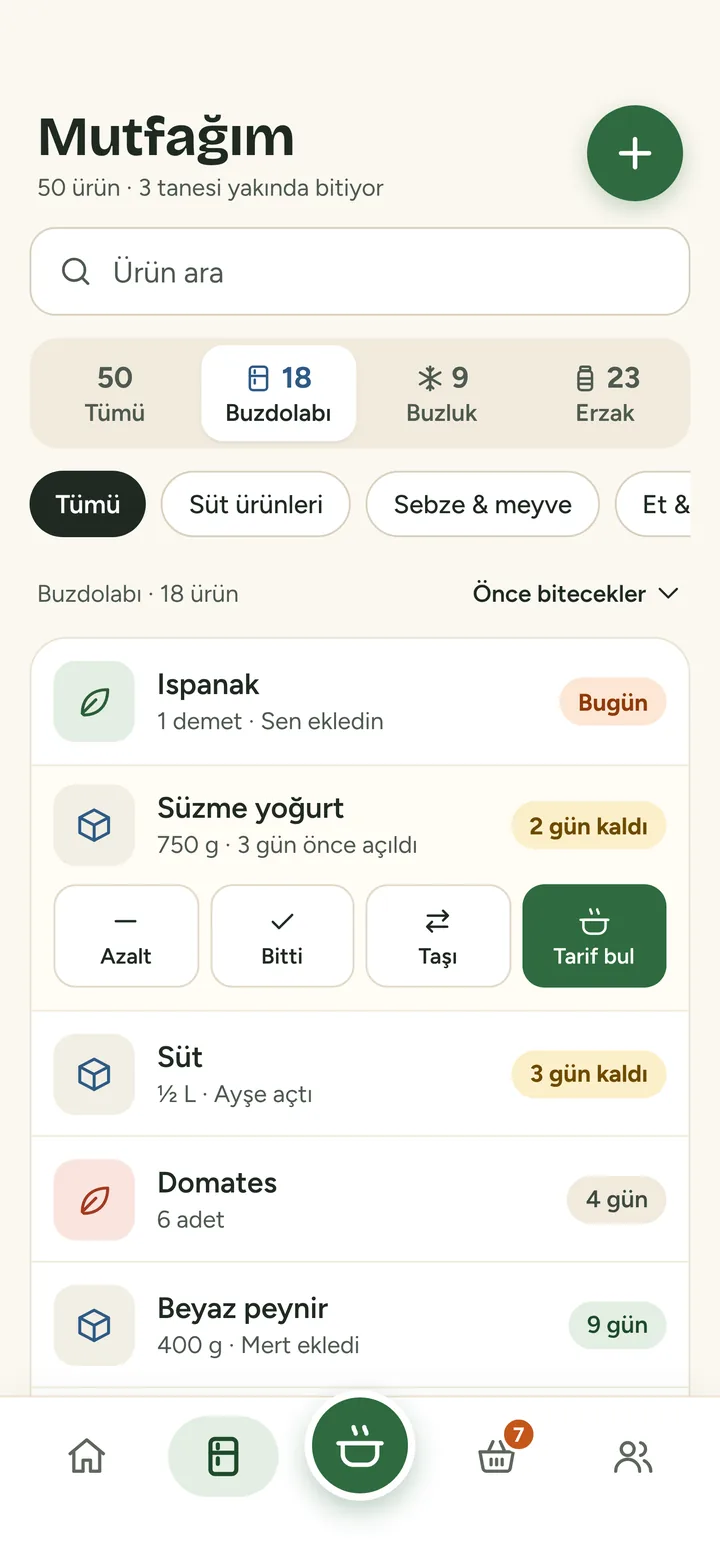
Spinach today, yoghurt in two days. My Kitchen sorts items by freshness and reminds you at the time you choose when something is about to go off.

  • Fridge, freezer and pantry kept separate
  • Freshness always in words: “2 days left”
  • Mark an item as finished and add it to the list in one tap
My Kitchen screen: items sorted by freshness

What should I cook?

See what you can make with what’s at home

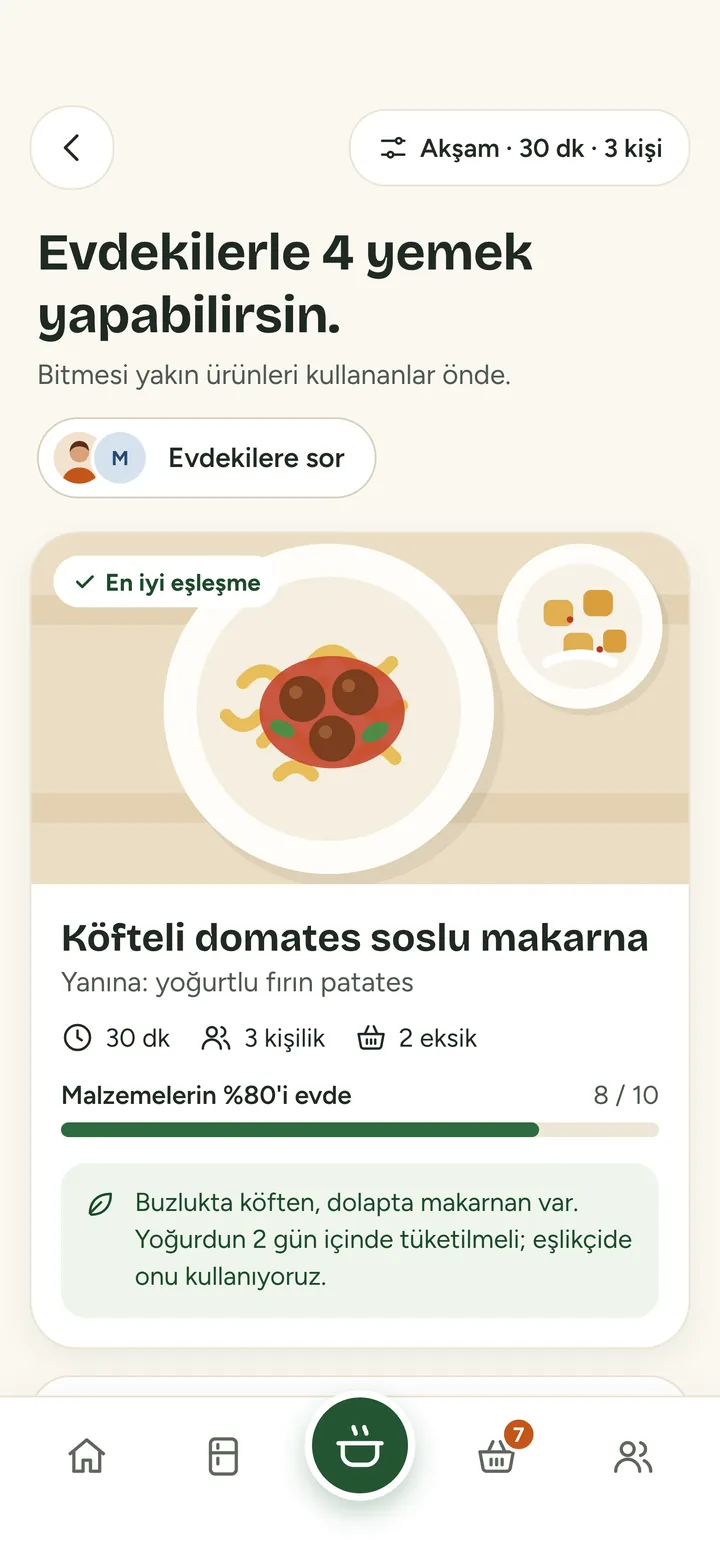
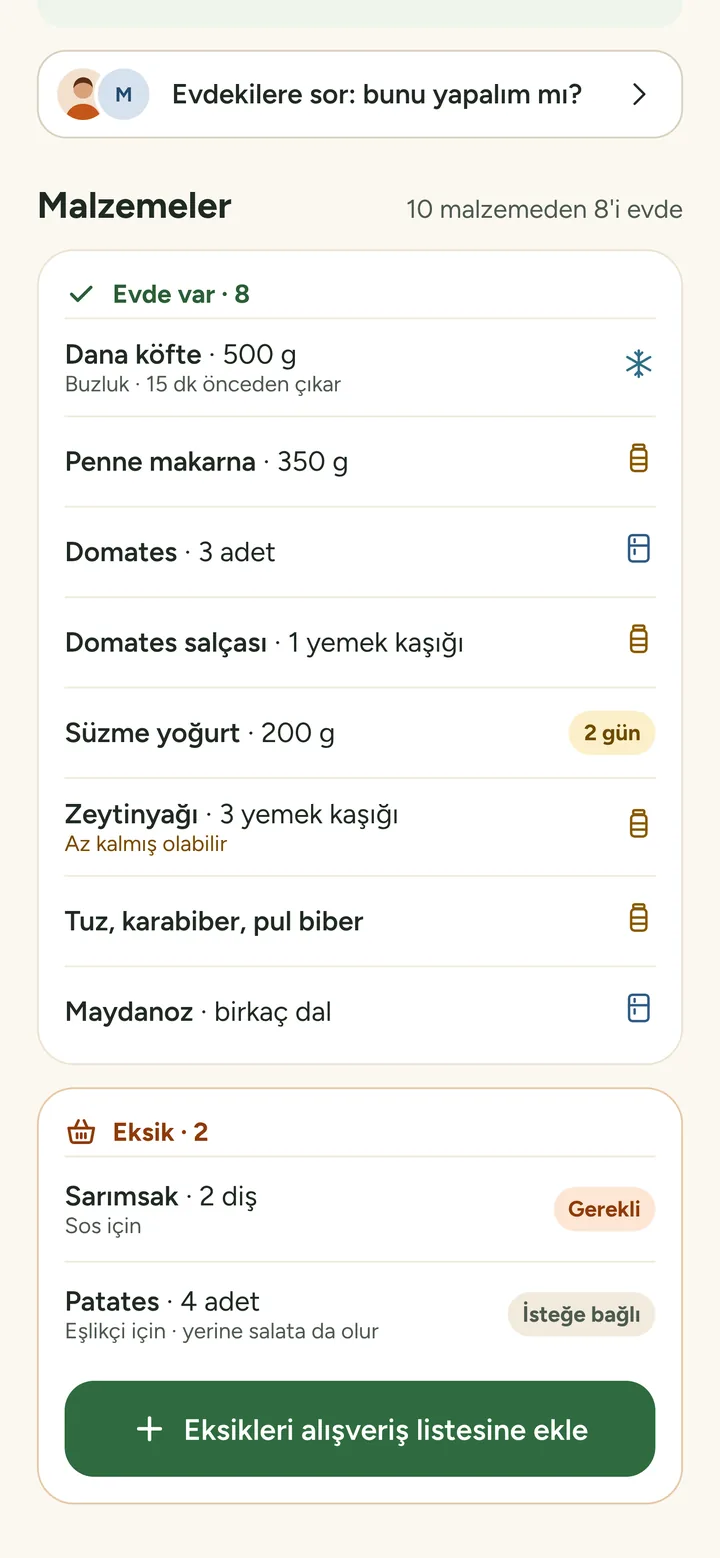
Mutfak AI researches recipes online that use up what’s about to expire, and shows at a glance which ingredients you have and which are missing.

  • Respects dietary preferences and dislikes
  • Add missing ingredients to the list in one tap
  • Save recipes you love to favourites
Meal suggestions: four dishes you can make with what you have
Recipe detail: ingredients at home and missing

Shared list and house chat

One list, one decision, everyone at home

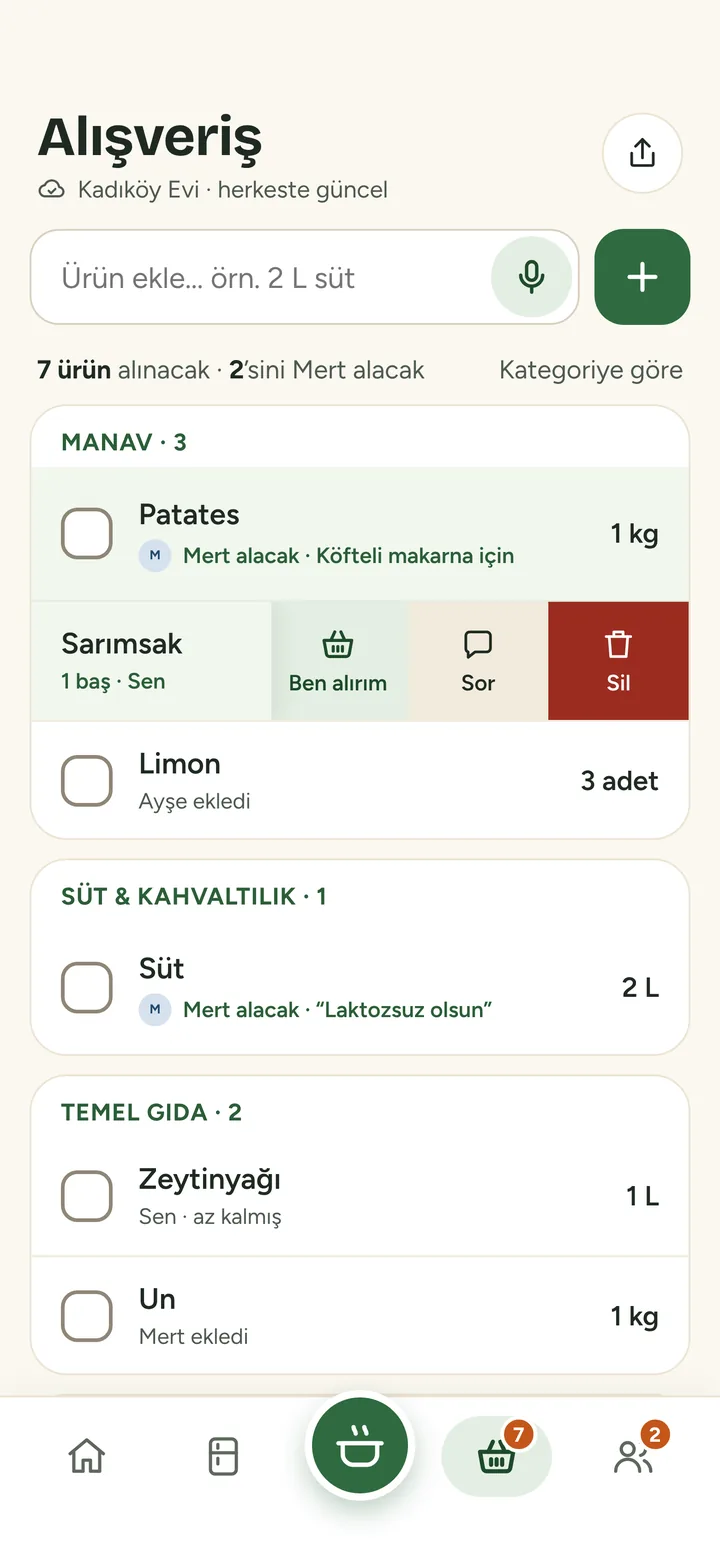
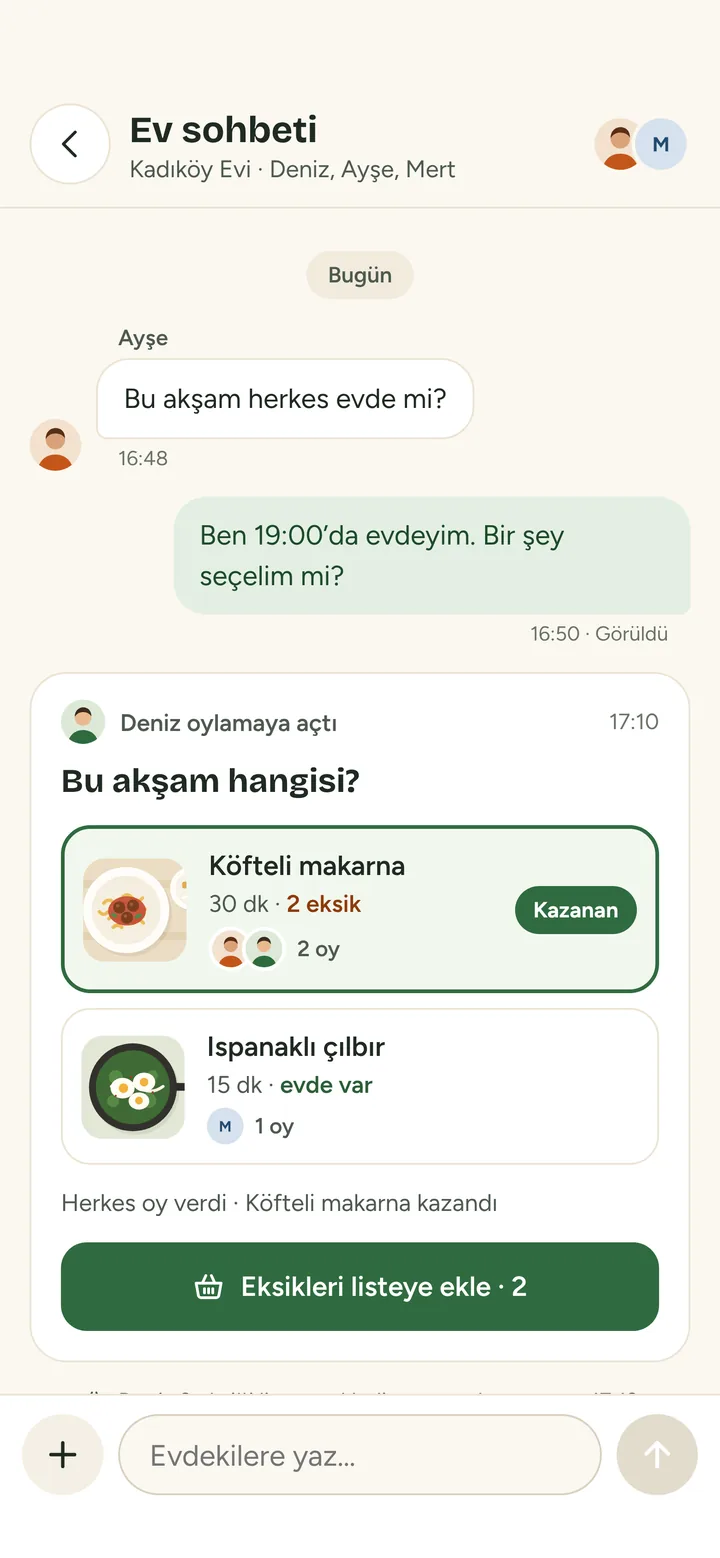
The shopping list updates on everyone’s phone at once. Put tonight’s dinner to a vote or ask “Shall I buy milk?”; whoever is buying it shows on the list.

  • Who added it, who’s buying, who bought it
  • Recipe votes and quick questions
  • Bought food moves to your kitchen automatically
Shared shopping list showing who is buying each item
House chat: a recipe vote has a winner

Add from a receipt

Scan your till receipt and what you bought lands in your kitchen.

Add by voice

Say “two litres of milk, a kilo of tomatoes” and it goes on the list.

Scan a barcode

Scan packaged items to fill in the name and size.

Smart reminders

For expiry dates and dinner, at the time you choose.

Favourites

Keep the recipes you love and never see the ones you don’t.

Less waste

See at month end how much you used up in time.

How it works

A shared kitchen in three steps

Setup takes a few minutes. As soon as others join, everyone sees the same kitchen.

  1. Set up your home and invite others

    Share the invite link or tell them your home code.

    MTF-4K2
  2. Fill your kitchen

    Snap a photo, scan a receipt or barcode, or just say it. Items are sorted into fridge, freezer and pantry.

  3. Ask “What should I cook?”

    Get dishes you can make with what you have. Missing items go on the list, the decision goes to the house chat.

Plans

Start free, upgrade when you want

One Premium subscription covers your whole home: everyone gets unlimited use.

Free

Everything a shared kitchen needs

  • Shared kitchen and shopping list
  • Expiry tracking and reminders
  • AI meal suggestions
  • House chat, 1 recipe vote a day
  • Daily allowance for voice and photo adding
  • 30 days of chat history

Premium

One subscription for the whole home

  • Everything in Free
  • Unlimited recipe votes
  • Unlimited voice and photo adding
  • 90 days of chat history
  • Covers everyone in your home

Premium pricing and any trial terms are shown in the App Store and Google Play. You manage and cancel your subscription through the store account you bought it with.

FAQ

Questions people ask

Is Mutfak AI free?

Yes. The shared kitchen, expiry tracking, shopping list and house chat are free. Premium removes the limits on recipe votes, voice and photo adding, and covers everyone in your household.

Which devices does it work on?

iPhone and Android. Download it free from the App Store or Google Play; it doesn’t matter which phone each person in your home uses.

Which languages does the app support?

The app is currently in Turkish. This website is available in Turkish and English.

How do people in my home join?

After you set up your home, share the invite link or tell them the home code. Everyone who joins sees the same kitchen and list, and changes appear for everyone instantly.

How does it recognise items in a photo?

AI analyses the photo and extracts item names, quantities and, where possible, expiry dates. Anything it isn’t sure about is marked “Check” and waits for your confirmation. Nothing is added to your kitchen without your approval.

Is my data safe?

Only members of your home see your kitchen data. We don’t use it for advertising and we don’t sell it. See our Privacy Policy for details.
Something else? Visit our support page.

Tonight’s answer, in your pocket

Download Mutfak AI, set up your home and invite everyone. iPhone and Android work together in the same home.